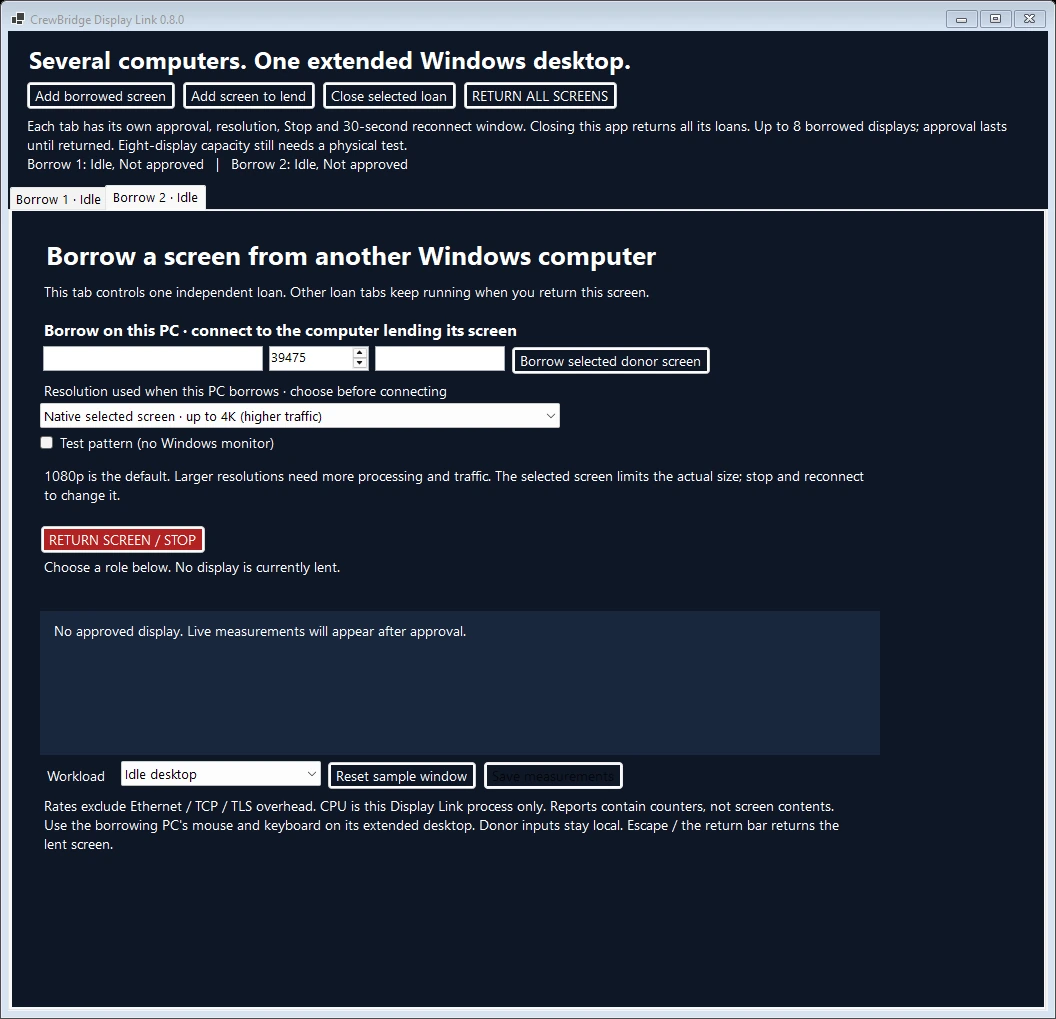
1080p, 1440p or native up to 4K
Choose before connecting. The selected donor screen limits the size and its aspect ratio is preserved. 1080p is the default; more pixels need more processing and traffic.

DISPLAY LINK · WORKING WINDOWS PREVIEW
Borrow a selected screen from another Windows computer and use it as part of your main PC’s extended desktop. Desktops and laptops can both lend screens.
The borrowing PC runs your applications and keeps your files. The donor presents an extra portion of that Windows desktop on the physical screen its owner selected.
Three simultaneous donor computers have been demonstrated, giving the borrowing PC six displays including its three local monitors. Paint and Notepad have spanned screens across two computers.
Stopping the middle donor loan left the other two borrowed screens working and responding to the borrowing PC’s mouse.
SET IT UP YOUR WAY
Choose before connecting. The selected donor screen limits the size and its aspect ratio is preserved. 1080p is the default; more pixels need more processing and traffic.
A brief unexpected interruption can resume the same approved loan automatically within 30 seconds. The virtual display stays present during grace. After timeout, start a fresh approved loan.
Either computer can Stop a loan. The donor can use its blue return bar or Escape when the presentation has focus. Stop during reconnect cancels consent and prevents automatic restoration.
Use Add screen to lend, select a different physical monitor, and use a distinct port for each loan on that same IP. Different computers may use the same port because their IPs differ.
The borrower’s input works across its extended desktop, including the borrowed screen’s taskbar. Donor input stays local to the donor and is not forwarded to the borrower.
Integrated 0.8.0 removes the pilot’s fixed 15-minute active-loan cutoff. The joining code is still one use, expires after five minutes, and requires fresh owner approval for a new loan.
4K output and Windows scaling at 100% and 200% worked in the pilot. A 4K window spanning two computers stayed in position after a brief automatic reconnect. In a 45-second interruption test, the borrowed Windows display was removed after the 30-second grace period.
Windows can move affected application windows to the remaining displays when a loan ends. Files and application state remain on the borrowing PC. A window’s return position can depend on Windows and the application, especially if you move it while disconnected.
The app has eight configured borrowing slots; eight simultaneous physical loans, a panoramic image across eight laptops and long-duration operation still need acceptance testing. The integrated build is ready for that next test.
The pilot could reset an existing 4K Windows display to 1080p when another 1080p loan was added. Manually selecting 3840 × 2160 in Windows and applying it restored 4K. The new build adds automatic resolution correction; that fix has simulated-display coverage and still needs the same real mixed-resolution test.
Borrowing currently requires Windows 11 build 22000 or newer and the development virtual-display driver on the borrowing PC. Lending does not need that driver. Driver signing, general installation and broader hardware acceptance remain release work. This is a private development preview.
The no-cutoff change applies to Display Link. Normal remote-support and unattended-access time, calendar, input, screen and file permissions remain controlled by the host.
Follow the Display Link quick guide →LET’S CONNECT
Ask about the Windows preview, permissions or the Display Link test programme.