Attended support
The sharing PC chooses permissions in Session setup, then creates a one-use code. The other person connects with that code. Stop session ends access.

THE WINDOWS PREVIEW
Remote access, files, reports and an extended workspace — with choices controlled by the computer owner.
The sharing PC chooses permissions in Session setup, then creates a one-use code. The other person connects with that code. Stop session ends access.
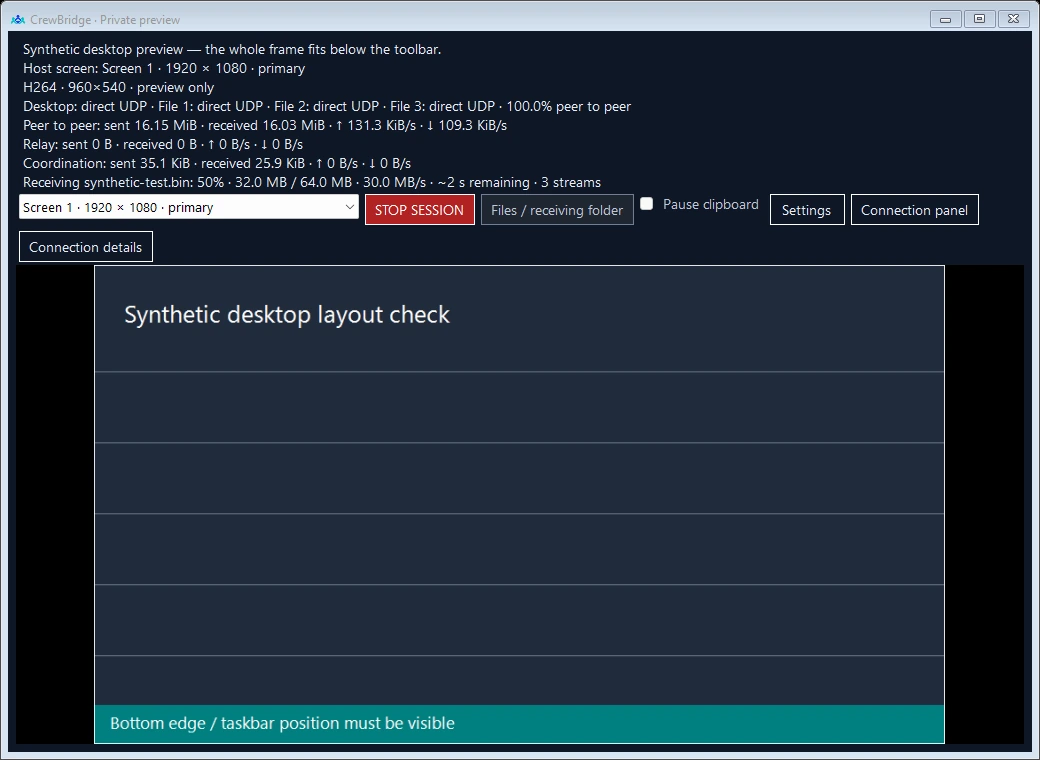
The viewer can select among the host’s authorised monitors. The host chooses the allowed screen set; sharing a code does not grant access to every display.
Save a trusted device and use the host’s approved weekdays, hours, time zone, blocked dates, last date and duration settings.
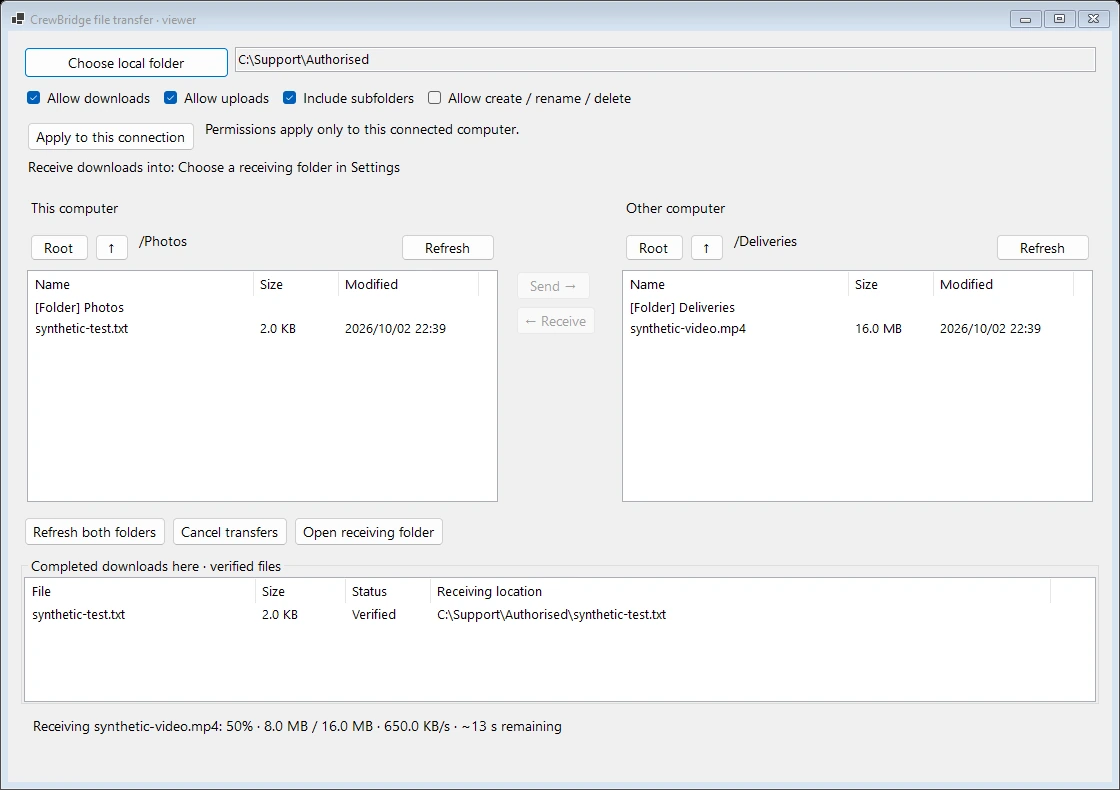
Transfer in both directions using authorised folders, choose a receiving folder, and control subfolder access and download/upload/manage rights separately.
Attempt an encrypted direct connection where possible. Authenticated relay fallback supports connection setup when a direct route cannot be established.
Inspect separate direct, relay and coordination counters, channel routes, setup information and transfer summaries.
Record approved outgoing connection time, display durations and outcomes, then export records for review and billing preparation.
Review sending and receiving records, result, transferred bytes, total seconds and average/overall MB per second; save averages as CSV.
Borrow selected physical screens from other Windows computers. Each loan has separate approval, resolution, Stop and reconnect handling.
Windows private preview · updated 2 October 2026. Screenshots show the real interface with example data. The Windows preview has a full 30-day trial and two free applications. Annual USD plans are announced; payment checkout is being prepared.
REMOTE VIEWER
Switch the viewer’s monitor selector among authorised host screens. This is separate from Display Link, which adds an extra Windows display to the borrowing PC.
PERMISSIONS & FILES
View, keyboard/mouse, clipboard and file permissions are separate. Unattended access adds a trusted computer and schedule; file access stays within the authorised folder.
Unattended access in detail →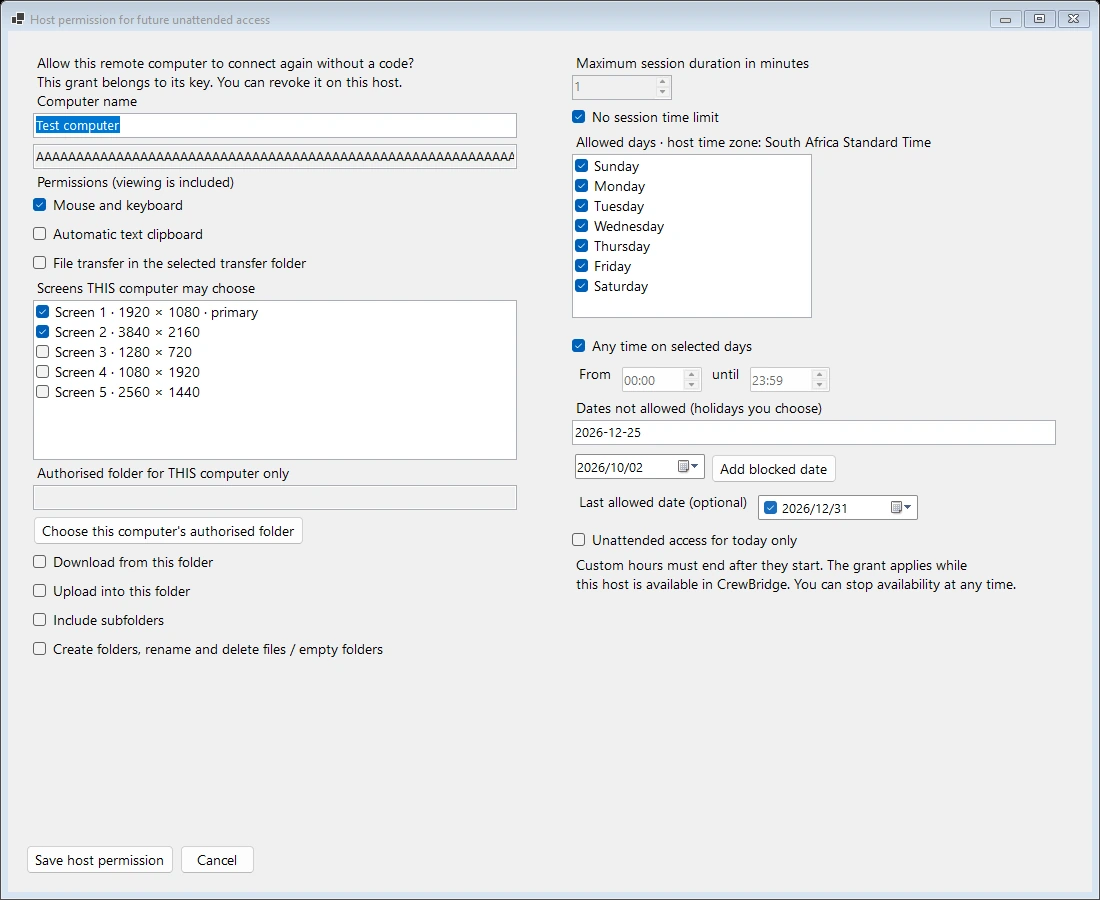
LARGE FILES, USEFUL FEEDBACK
The preview supports transfer progress and cancellation. Generated 2 GiB files have passed release checks in both directions. Actual speed depends on the route, storage and network.
A transfer marked Completed has passed final verification. Partial or cancelled progress does not mean the complete file arrived.
Understand transfer reports →LET’S CONNECT
Ask about the Windows preview, permissions or the Display Link test programme.